Civitai collects trained image resources such as checkpoints and LoRAs from many creators. A good-looking sample can make you curious, but approving a download for a commercial game takes more work. Check the resource type, exact version, compatible base, creator and license before it enters your art pipeline.
Verify the destination of a model-download link before trusting a similarly named mirror. An inaccessible model card leaves its permissions unconfirmed. Use original, non-explicit images for public examples while checking what each resource allows.
1. Identify what the download actually contains
A checkpoint contains the main trained image-model weights. Some releases bundle a complete pipeline in one file; others distribute components separately. A LoRA is a smaller adapter that modifies a compatible base and usually cannot generate images on its own. A textual-inversion embedding changes learned token representations for a compatible text encoder. A VAE encodes or decodes the model’s latent representation; it does not act as a character-style adapter.
ControlNet and related conditioning models guide supported pipelines with pose, edges or depth. Upscalers enlarge or restore images, while legacy hypernetworks serve another architecture-specific role. Files do not become interchangeable because they share an extension or sit in the same directory. Record the resource type and intended use, then choose its loader in a supported workflow.
2. Pin the model version and file, not just the page title
A Civitai model can have several versions, each offering several files. Record the model ID, version ID, creator, exact filename, declared base model, file format, precision and full SHA-256 where available. Keep the model card, license text and review date beside the download. A name such as “character style” will not tell a teammate which file produced the approved art.
Find out whether the file is an original training result, a merge, a conversion or a quantization. Trace its upstream sources and confirm who published them. A mirror can help you retrieve a file, but it cannot grant new rights or establish that it matches the creator’s current release. Download counts and ratings cannot answer those questions.
3. Treat compatibility as an exact-base question
SD1.5, SDXL, SD3.x, FLUX, Qwen generation, Qwen editing and newer architectures use different structures and components. A LoRA needs the target architecture, modules and expected base it was trained for. Even within a broad family, moving it to a fine-tune can change the result. Pony V6, Illustrious and ordinary SDXL share lineage without guaranteeing identical adapter results.
Pony V7 is AuraFlow-based, so the familiar name does not establish SDXL compatibility. Qwen-Image-2512 and Edit-2511 also target different tasks and bases. Follow the author’s instructions for trigger words, recommended weights, prediction type, sampler and encoder settings. When those instructions leave gaps, run a small compatibility test with ordinary images before entrusting the resource with a full cast.
4. Read permission flags as separate questions
Civitai exposes creator permissions such as allowNoCredit, allowCommercialUse, allowDerivatives and allowDifferentLicense. These address credit requirements, categories of commercial activity, creating derivatives and applying different terms to derivatives. Commercial categories can distinguish selling images, offering inference, hosting on Civitai and selling model resources. Read the card’s exact labels and scope; a single “commercial allowed” badge loses those distinctions.
A true allowNoCredit value permits use without the specified credit requirement. A false value does not grant that waiver. Permission to sell generated images does not by itself permit a paid generation service or redistribution of the weights. Save the license and creator conditions as well as any icons, and include the credit required by the applicable agreement.
5. Trace upstream terms before believing a permissive badge
A creator cannot grant rights they do not hold or remove an underlying model’s license restrictions. Civitai’s source code adjusts effective commercial and relicensing permissions using configured base-model constraints. Those checks are useful, but they cannot clear every upload’s legal status or prove that all training inputs were authorized.
Before production, check four layers: the upstream base and components; the checkpoint or adapter’s added terms; the generation host’s contract; and rights to reference or training images. Output use, commercial operation and fine-tuning can have different terms. An open-source runner does not erase restrictions on a model merge or LoRA. If a key layer is missing, record the uncertainty and choose a cleared alternative for the shipping art.
6. Separate content capability from content eligibility
Mature-content tags describe an upload or what a model can generate. The model owner, host, payment processor and distributor may impose their own limits. Check each policy against the asset you plan to make and where you will use it before committing production resources. A result produced locally does not establish that a host will accept the same material.
Release-specific terms matter. Qwen-Image-2512 and Edit-2511 use Apache 2.0, while Qwen-Image-2.1 uses a Research License. Stability’s current acceptable-use policy restricts content relating to sexual acts and explicitly covers self-hosting under its listed licenses and access through third-party platforms. Historical license conflicts remain a separate question. Use original characters and non-explicit public tutorial assets, and check permission directly rather than reading it into a model’s sample gallery.
7. Download weights without treating workflows as trusted code
Prefer the creator’s official distribution and safetensors when your supported workflow offers it. Safetensors avoids pickle-style tensor deserialization; it cannot vouch for the rest of a downloaded archive or custom-node package. Python scripts, installation commands, executables and loaders that run remote code still need their own inspection, including their dependencies, before you run them.
Compare the downloaded file’s full hash with a trusted published record and save a copy of that record. A match establishes file identity relative to the record, without proving the creator’s honesty, legal rights or overall security. Installing missing nodes is still executing code: do not run commands from an untrusted workflow just to silence an error. Keep account tokens and local paths out of shared screenshots and workflow exports.
8. Run a controlled onboarding test
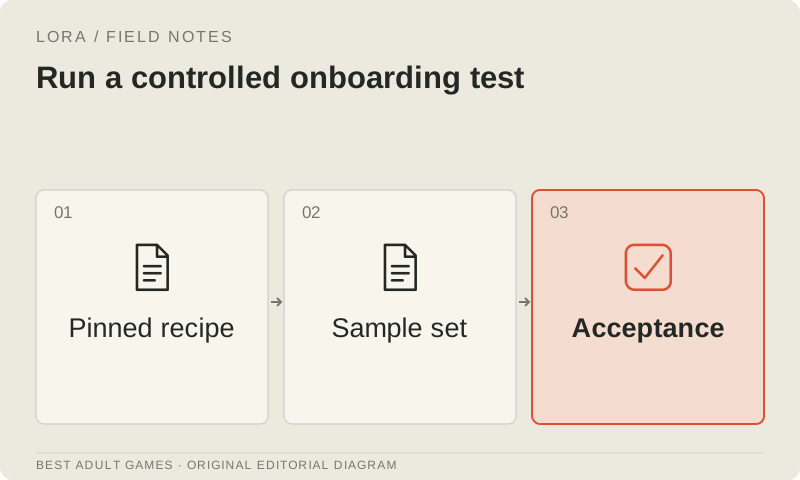
Start with one new resource, a clean known workflow, an approved non-explicit reference and a fixed test brief. Generate a base-only result, then compare several adapter strengths using the same recorded settings. Check for unexpected style changes, identity drift, anatomy defects, trigger dependence and failures on a new pose. Stacking several untested LoRAs turns troubleshooting into a guessing game.
Preserve every attempt and write down the acceptance decision. Confirm that a teammate can load the same exact files without undisclosed custom nodes or missing components. Check the exported image in the game at target scale. Approve the resource for the asset categories and settings you evaluated; a successful portrait cannot validate animation frames or every future costume.
9. Keep a resource register throughout the project
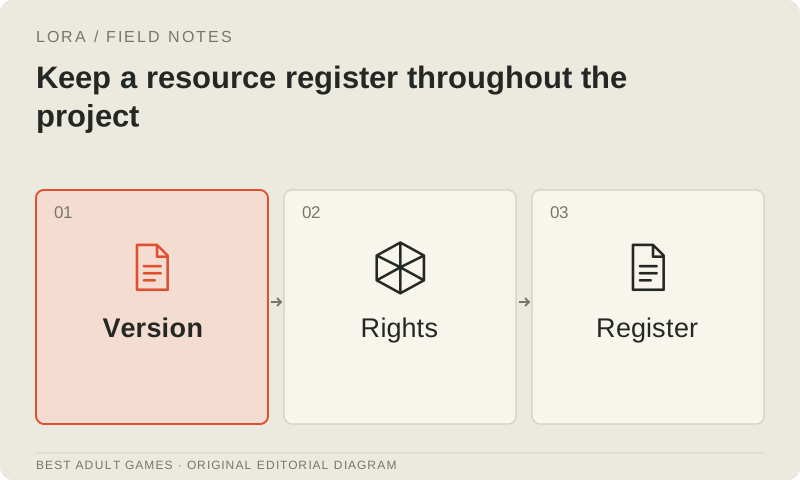
Keep a register for each approved resource: origin, version and hash; compatible base and workflow revision; license and policy evidence; required credits; permitted asset categories; and acceptance result. Add the IDs of finished assets made with it so a later license or provenance question can be traced to the right files. A spreadsheet or a simple versioned text file can do the job.
Revisit approval when a creator changes availability, a host changes policy or the game’s business and distribution scope changes. Preserve earlier evidence and approved editable art. If you redistribute an adapter, include a truthful model card, required notices and upstream limitations. A register helps the team trace its decisions; it cannot supply permission that was never obtained.
Key decisions
- Identify the checkpoint, LoRA, embedding, VAE or ControlNet before choosing its loader.
- Record exact model versions, files, bases and full hashes.
- Keep image-sale, inference-service and model-sale permissions separate.
- Creator flags cannot remove upstream license restrictions.
- Review downloaded code separately from safer tensor files.
External model communities and publishing sites may contain explicit material. Source links open in a new tab; this guide does not load their previews.
Sources & further reading +
- Civitai official model/resource API documentation ↗
- Civitai official model-version documentation ↗
- Civitai official base-license and effective-permission source ↗
- Hugging Face safetensors format documentation ↗
- Official Pony V7 architecture and license card ↗
- Stability current acceptable-use policy ↗
- Qwen-Image-2512 model card and license ↗
- Qwen-Image-Edit-2511 model card and license ↗
- Qwen-Image-2.1 Research License ↗
Last checked 5 October 2026.